Transactional notifications
Connect application events to welcome emails, account updates, and order notifications through an API or SMTP.

Software development
Developer Email Infrastructure · Built by TeamRedevs
Mailofly is a developer email infrastructure product built by TeamRedevs. It brings transactional email, marketing workflows, and delivery operations into one platform. Teams can send through an API or SMTP, build templates, manage audiences, and inspect message events.
Visit Mailofly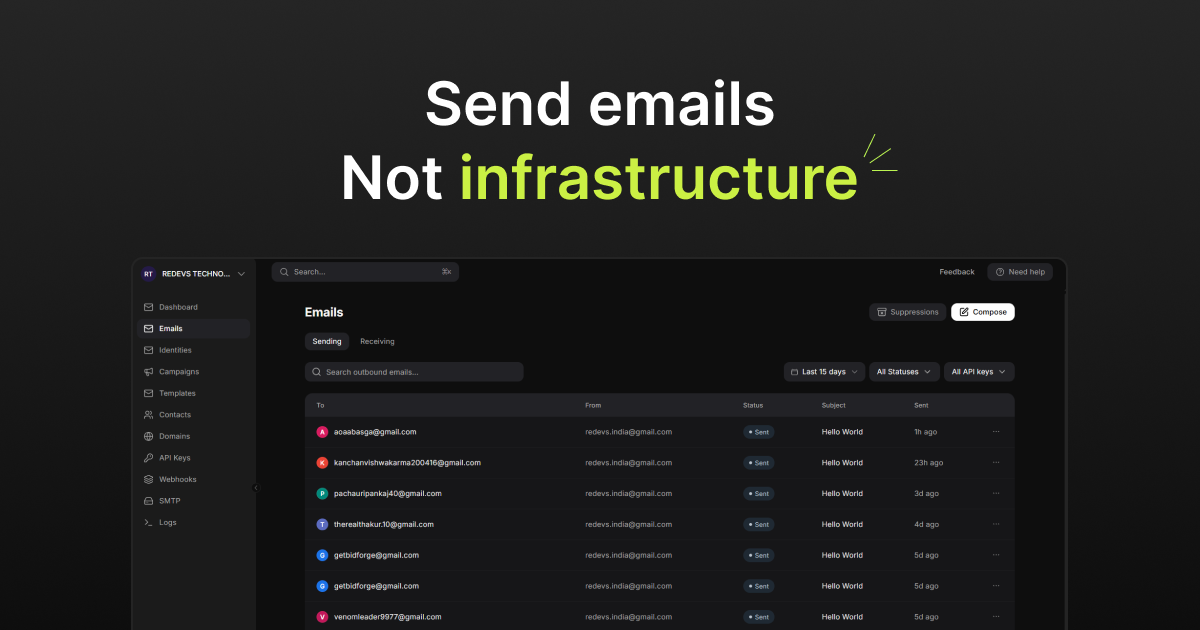
An application needs more than a successful send request: teams also need reusable content, consistent sender setup and a way to investigate what happened afterwards. Mailofly's product objectives connect sending, templates and operational feedback in one developer workflow.
A welcome message, an order update, or a customer onboarding sequence each needs a different workflow. Mailofly connects the sending infrastructure with templates, contacts, and automation, giving developers and marketing teams a shared place to manage product communication.
Searchable email logs help teams inspect message status and recorded errors. Signed event webhooks bring delivery activity back into an application, while validation, suppression controls, and domain checks support day-to-day email operations.
The public product exposes REST and SMTP interfaces, SDKs, templates, logs and event webhooks. A typical integration sends an application event through an API or SMTP, then handles delivery events asynchronously. A provider accepting a request is distinct from inbox delivery. Private queue topology, hosting configuration and internal storage decisions are not documented here.
Email integrations need to account for retries, invalid addresses and independently arriving events. Mailofly documents signed webhooks and delivery logs to support those workflows. Application teams should validate signatures and make event processing idempotent; the product documentation remains the reference for current behavior and integration requirements.
PRODUCT CAPABILITIES
Sending is the starting point. Mailofly also brings content, audiences, automation, and delivery feedback into the same workflow.
Integrate transactional messages through REST, SMTP, or official SDKs for Node.js, Python, Go, PHP, and Dart.
Explore featureBuild in the visual editor or use HTML rendered from React Email. Personalize content with supported merge variables.
Explore featureCreate onboarding and re-engagement sequences with delays, conditional branches, local-time delivery windows, and conversion exit rules.
Explore featureOrganize contacts into segments, import lists, and select the right audience when preparing a campaign.
Explore featureUse verified custom domains, connected Gmail or Google Workspace accounts, and custom SMTP identities. Business mailboxes support IMAP and SMTP clients.
Explore featureCheck addresses with MailProbe, review sending-domain authentication, and use suppression and unsubscribe handling to respect recipient preferences.
Explore featureSubscribe to relevant email events. Timestamped HMAC signatures let your backend verify payloads, with automatic retries when an endpoint is unavailable.
Explore featureConnect Supabase database webhooks, import contacts from public Google Sheets, and map incoming data to supported template or contact fields.
Explore featureConnect authenticated email tools to compatible assistants such as Cursor and Claude Desktop to send test messages, check domains, and inspect logs.
Explore featureDEVELOPER EXPERIENCE
Use a language SDK or connect an existing SMTP integration. Mailofly publishes framework guides and API documentation for sending, error handling, and event webhooks.
import { Mailofly } from '@mailofly/node';

const mailofly = new Mailofly({
  apiKey: process.env.MAILOFLY_API_KEY,
});

await mailofly.emails.send({
  from: 'hello@yourdomain.com',
  to: 'customer@example.com',
  subject: 'Welcome aboard',
  html: '<p>Your account is ready.</p>',
});
Illustrative SDK usage. Requires an API key and a configured sender.
IN PRACTICE
Connect application events to welcome emails, account updates, and order notifications through an API or SMTP.
Guide subscribers through onboarding or re-engagement flows, branching on engagement and stopping when a conversion goal is reached.
Use database events to start workflows and signed email events to keep application records and downstream processes informed.
HOW IT COMES TOGETHER
Configure a sending domain or a supported mailbox identity.
Prepare a template and map the fields that personalize each message.
Trigger a message through an SDK, SMTP, or a configured workflow.
Inspect logs and handle signed events in your application.
PRODUCT CONTEXT
Mailofly connects application email delivery with templates, audiences, automation, and operational feedback. The live product site and documentation are the reference for current capabilities and plan limits.
STUDIO PORTFOLIO
READY WHEN YOU ARE
Let’s talk about the product you want to bring to life.